Back

Select your location

Australia

Local sites

Global United Kingdom
Back

Aviation Fuel & Services

Back

Marine Fuel & Services

Back

Government & Defence Solutions

Get more from myWorld Flight Planning
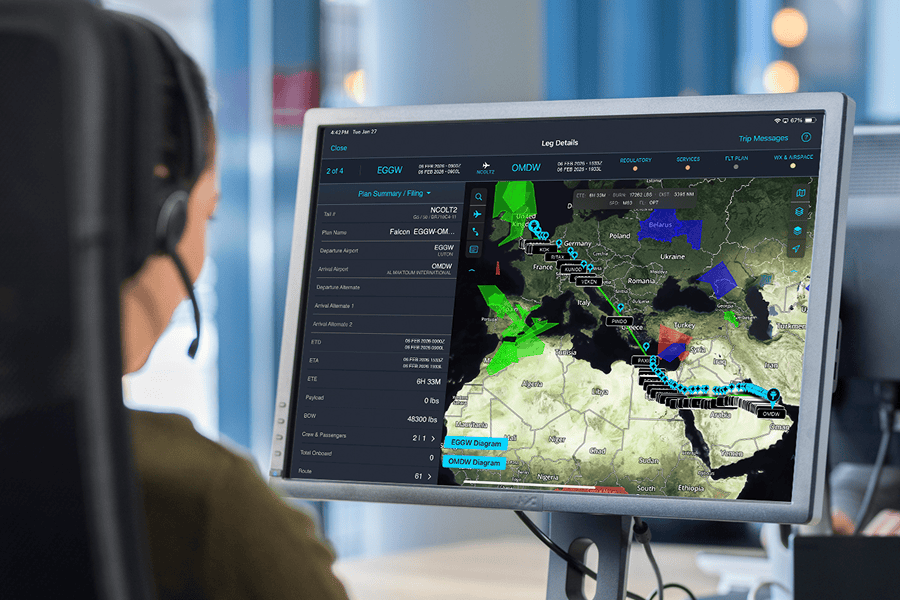
Person monitoring flight route on screen.

See how the workflow comes together

myWorld Flight Planning tutorials
Module 1 – Introduction to Online Flight Planning (OFP) and the Dashboard

Module 2 – Trip status, mini dashboard, weather overlays, and flight plan summary

Module 3 – Itinerary Planner and tech stop planning

Module 4 – Flight planning for an existing leg, including building a weather package

Module 5 – Entering a new trip leg

Module 6 – Flight planning for a newly entered leg, including ETPs, ETOPS, and a Weight and Balance Report

Module 7 – Adding services to a leg

Introduction to Online Flight Planning and the dashboard

Module 1 – Introduction to Online Flight Planning (OFP) and the Dashboard

Online flight planning interface overview

Module 2 – Trip status, mini dashboard, weather overlays, and flight plan summary

Online flight planning and tech stop planning

Module 3 – Itinerary Planner and tech stop planning

Flight planning for an existing leg

Module 4 – Flight planning for an existing leg, including building a weather package

Entering a new leg

Module 5 – Entering a new trip leg

Flight planning for a newly entered leg

Module 6 – Flight planning for a newly entered leg, including ETPs, ETOPS, and a Weight and Balance Report

Adding services to a leg

Module 7 – Adding services to a leg

myWorld Flight Planning mobile app tutorials
Module 1 – Introduction and app navigation basics

Module 2 – Trip and leg views – filtering trips

Module 3 – Package deliveries and cockpit workflows

Module 4 – Support and help resources

Module 5 – Storage, newsfeed, and weather

Module 6 – Using the map layers and airport search

Module 7 – Aviation fuel quotes and setups

Module 8 – Managed trip services, colour coding, vendor comms, and trip-level messaging

Module 9 – Package delivery and EFB use

Module 10 – Create trip leg – file and Go

Module 1: Introduction and App Navigation Basics

Module 1 – Introduction and app navigation basics

Module 2: Trip and Leg Views – Filtering Trips

Module 2 – Trip and leg views – filtering trips

Module 3: Package Deliveries and Cockpit Workflows

Module 3 – Package deliveries and cockpit workflows

Module 4: Support and Help Resources

Module 4 – Support and help resources

Module 5: Storage, Newsfeed, and Weather

Module 5 – Storage, newsfeed, and weather

Module 6: Using the Map Layers and Airport Search

Module 6 – Using the map layers and airport search

Module 7: Fuel Quotes and Setups

Module 7 – Aviation fuel quotes and setups

Module 8: Managed Trip Services, Color Coding, Vendor Comms, and Trip-Level Messaging

Module 8 – Managed trip services, colour coding, vendor comms, and trip-level messaging

Module 9: Package Delivery and EFB Use

Module 9 – Package delivery and EFB use

Module 10: Create Leg – File and Go

Module 10 – Create trip leg – file and Go