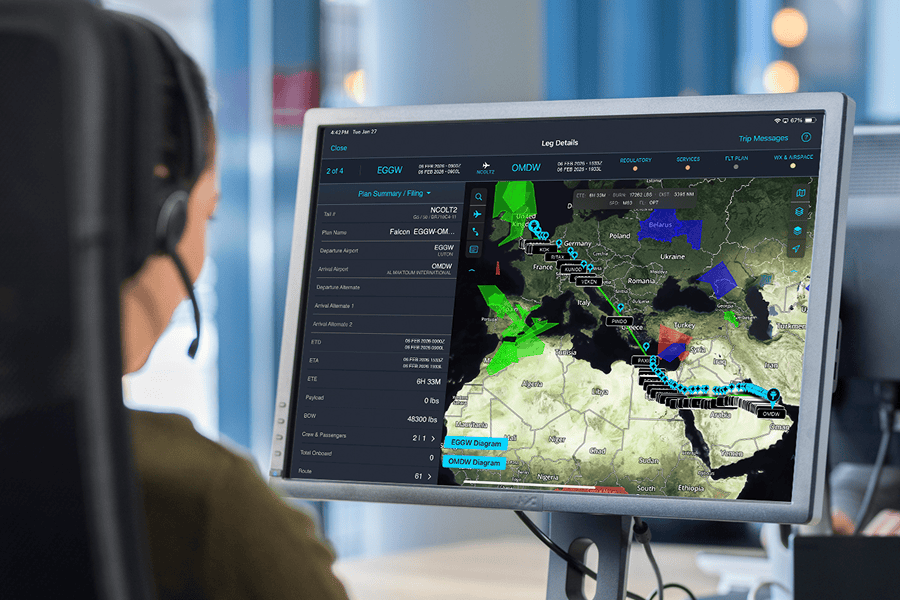
Get more from myWorld Flight Planning
Whether you are building a route on the web with Online Flight Planning or managing flight information from the myWorld App for iPad, these tutorials show you how to use the tools and workflows available in myWorld Flight Planning.
See how the workflow comes together
Work through application training at your own pace, from the basics of the dashboard and itinerary planning to weather packages, ETPs and ETOPS, services, fuel quotes, package delivery, and mobile app workflows. Choose the section that matches how you use myWorld Flight Planning and go directly to the tutorial you need.
Online Flight Planning video tutorials
Watch the training videos in sequence to get the most from your learning experience. Click either the play icon, or a video thumbnail to begin.
Module 1 – Introduction to Online Flight Planning (OFP) and the Dashboard
Module 2 – Trip status, mini dashboard, weather overlays, and flight plan summary
Module 3 – Itinerary Planner and tech stop planning
Module 4 – Flight planning for an existing leg, including building a weather package
Module 5 – Entering a new trip leg
Module 6 – Flight planning for a newly entered leg, including ETPs, ETOPS, and a Weight and Balance Report
Module 7 – Adding services to a leg
Module 1 – Introduction to Online Flight Planning (OFP) and the Dashboard
Module 2 – Trip status, mini dashboard, weather overlays, and flight plan summary
Module 3 – Itinerary Planner and tech stop planning
Module 4 – Flight planning for an existing leg, including building a weather package
Module 5 – Entering a new trip leg
Module 6 – Flight planning for a newly entered leg, including ETPs, ETOPS, and a Weight and Balance Report
Module 7 – Adding services to a leg
myWorld App for iPad tutorials

Watch the training videos in sequence to get the most from your learning experience. Click either the play icon, or a video thumbnail to begin.
Module 1 – Introduction and app navigation basics
Module 2 – Trip and leg views – filtering trips
Module 3 – Package deliveries and cockpit workflows
Module 4 – Support and help resources
Module 5 – Storage, newsfeed, and weather
Module 6 – Using the map layers and airport search
Module 7 – Aviation fuel quotes and setups
Module 8 – Managed trip services, color coding, vendor comms, and trip-level messaging
Module 9 – Package delivery and EFB use
Module 10 – Create trip leg – file and Go
Module 1 – Introduction and app navigation basics
Module 2 – Trip and leg views – filtering trips
Module 3 – Package deliveries and cockpit workflows
Module 4 – Support and help resources
Module 5 – Storage, newsfeed, and weather
Module 6 – Using the map layers and airport search
Module 7 – Aviation fuel quotes and setups
Module 8 – Managed trip services, color coding, vendor comms, and trip-level messaging
Module 9 – Package delivery and EFB use
Module 10 – Create trip leg – file and Go